I replaced my whole marketing team with these AI tools, and conversions went up 50x!
I tested replacing my marketing workflow with AI tools. Here's what actually happened, what worked, and what didn't.
I replaced my whole marketing team with these AI tools, and conversions went up 50x!
Yes, the title is clickbait. I know. I wrote it that way deliberately, and honestly, it proved a point about the tools I’m reviewing here. But we’ll get to that.
Here’s the real version: roughly 3x more leads. Marketing time cut by about 75%. And a conversion rate on a purpose-built funnel that more than tripled. Not 50x. But significant enough to change how the business runs.
We run a web development agency with national and international clients. Like most agencies our size, the product side was never the problem. The marketing side was.
The bottleneck is one every small agency recognises. You know consistent content presence on LinkedIn and Instagram drives inbound. You know a purpose-built landing page funnel outperforms cold outreach by a significant margin. You know all of this. You just don’t have the time, the design budget, or the creative bandwidth to execute on it week after week.
The result is predictable: sporadic posts, inconsistent branding, manually-built landing pages that eat entire evenings, and a marketing function that feels like a second job. One that pays poorly and has no PTO.
So we ran a deliberate experiment. For 30 days, we handed every component of that process to AI tooling. No social media VA. No copywriter. No designer. Just three tools, a technical eye for what is actually happening under the hood, and genuine curiosity about whether this software category had matured enough to run a real agency’s growth function.
The three tools we tested:
- Pomelli — Google Labs’ AI marketing platform (labs.google.com/pomelli)
- Bloom — AI-powered on-brand visual generator (trybloom.ai / @trybloomai on X)
- Vibiz — Full-funnel AI growth platform (vibiz.ai / @vibizai on X)
What follows is a full breakdown of how each tool works, what it generates, and how we actually used each one.
The Setup: What We Were Actually Trying to Fix
Before evaluating any tool, it helps to be precise about the problem. The marketing bottleneck had three distinct failure points.
1. Content volume. Posting frequency was well below what consistent organic reach requires. The production cost per post, brainstorming, designing, writing, platform-formatting, made consistency unsustainable alongside client work.
2. Visual inconsistency. When posts did go out, quality varied wildly. One week sharp, the next a hastily-resized Canva template in slightly wrong brand colors. That inconsistency undermines trust in a subtle but measurable way. Potential clients who follow you over weeks receive a fragmented brand signal.
3. Funnel absence. No dedicated landing page for service-specific offers. The homepage served as a general presence but there was no purpose-built page with a lead capture form wired to a CRM. Most leads came through referrals or cold outreach, neither of which scale predictably.
The three tools map almost perfectly onto these three problems. Pomelli addresses content volume and consistency. Bloom addresses visual quality. Vibiz addresses the funnel layer. The fact that all three share the same conceptual architecture, paste your URL, AI extracts brand identity, generate assets, made them a natural combined stack to test.
Tool 1: Pomelli (Google Labs x DeepMind)
How It Works
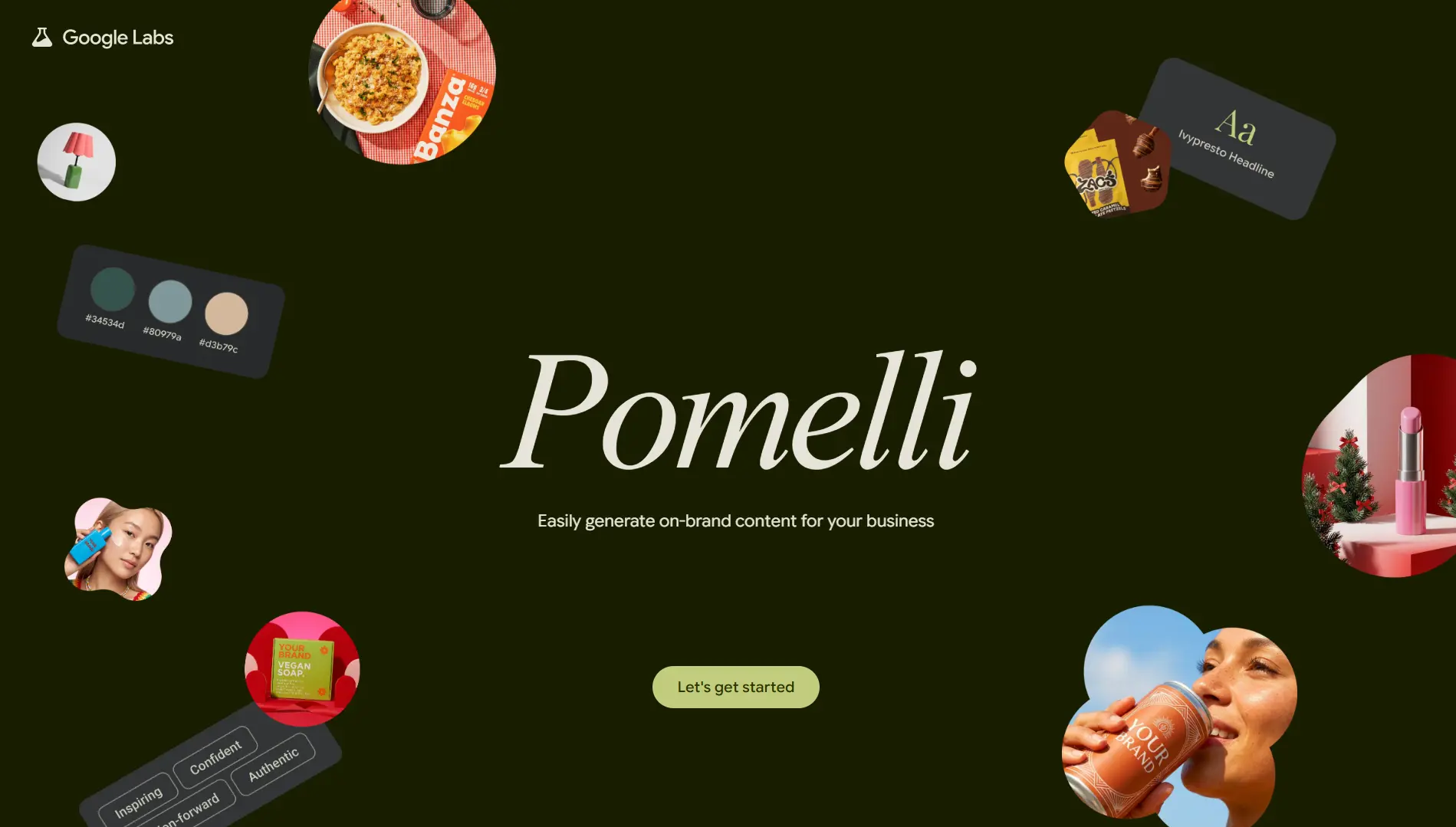
Pomelli crawls your public website, including homepage, service pages, blog posts, and existing imagery, and constructs what it calls a Business DNA profile. This is not a simple color palette scraper. The underlying model draws on DeepMind’s language research and Google’s multimodal capabilities to extract tone of voice, typography hierarchy, image style, and the implicit messaging framework of your copy. It builds a brand representation that functions as a persistent context layer for all subsequent generation.
From there, the workflow has two paths. The first is AI-suggested campaigns, where Pomelli proposes campaign angles calibrated to your niche based on what it reads from your site. The second is prompt-driven generation, where you describe a campaign concept in natural language and the AI generates a matching set of assets across formats.
What Pomelli generates:
- LinkedIn text posts with on-brand visuals
- Instagram feed posts and multi-slide carousel sequences
- Facebook and Google ad creatives and banner variations
- Animated video assets via the Animate feature, powered by Google DeepMind’s Veo model, which generates motion directly from static brand visuals
- Studio-quality product and interface visuals via the Photoshoot feature, which transforms basic screenshots or product photos into polished, professional-grade imagery using Google’s image generation model
- Campaign headline and body copy variations across all of the above formats
How We Got the Best Out of Pomelli
We started with Pomelli during its free beta, which gave us a healthy number of generation credits to properly explore the tool before committing to anything paid. No credit card required at labs.google.com/pomelli. We signed up, pasted our website URL, and let Business DNA do its scan.
The first thing we noticed was that the AI-suggested campaign ideas felt oddly accurate for a tool that had only read our homepage. It was not suggesting generic “post about your services” prompts. It was pulling specific angles tied to the kind of work and tone on our site. We started using those suggestions as creative briefs rather than finished copy. We took the angle it proposed, layered in our own context, opinions, and specific examples, and the posts that came out of that process genuinely sounded like us rather than a template.
Where Pomelli surprised us most was the Animate feature. We fed it a few of our cleaner hero graphics and interface screenshots, images with good negative space and clear focal points, and the Veo-powered output turned them into short animated clips that looked genuinely polished. We slotted these into our LinkedIn and Instagram Reels rotation and the engagement difference compared to static posts was immediately visible. The key we figured out quickly: clean, minimal source material animates beautifully. Cluttered screenshots animate poorly. That one realisation changed how we prepared assets for the tool.
The Photoshoot feature came into its own when we needed client-facing imagery. We had decent product screenshots but nothing studio-grade. Running them through Photoshoot produced visuals that looked like they came from an actual professional shoot. Those went straight into pitch decks and proposals.
The beta is currently free with access progressively expanding globally, so the window to use it at zero cost is worth taking right now before pricing is formalised.
Tool 2: Bloom (trybloom.ai)
X: @trybloomai
How It Works
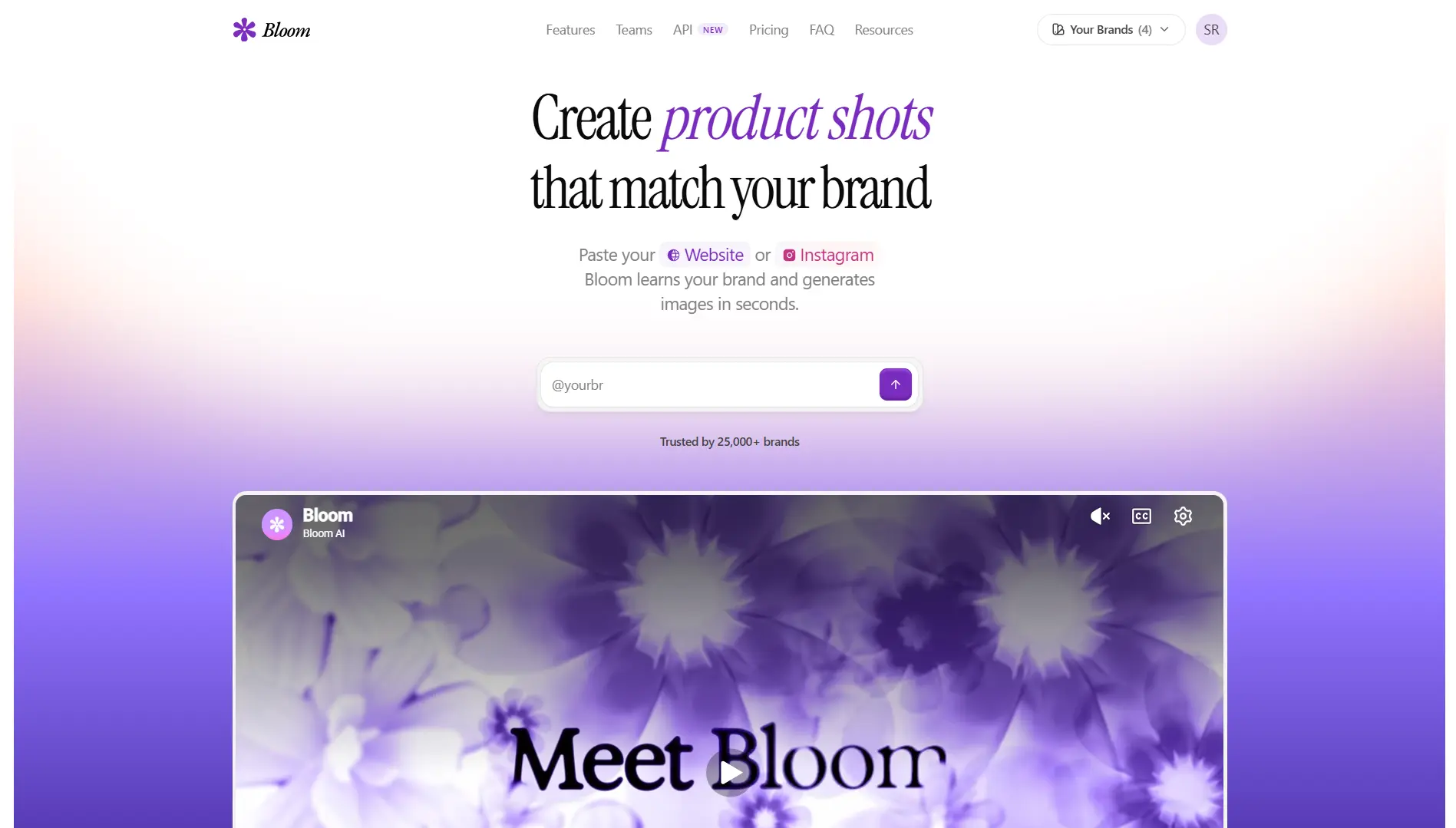
Bloom is a visual marketing platform built specifically for brand-consistent asset generation at speed. Unlike general-purpose image generators such as Midjourney or DALL-E, Bloom is not trying to create art. It is trying to create your brand’s assets at production quality. That distinction matters enormously in a professional context where every visual you publish is a direct representation of your business.
Setup is straightforward. You provide your website URL or Instagram handle and Bloom’s extraction layer pulls your logo, dominant color palette, font stack, and overall visual style. This becomes the brand kit that anchors all subsequent generation. You can supplement this with direct uploads of product photos, previous campaign visuals, or team photography to expand the reference set for more contextually accurate output.
What Bloom generates:
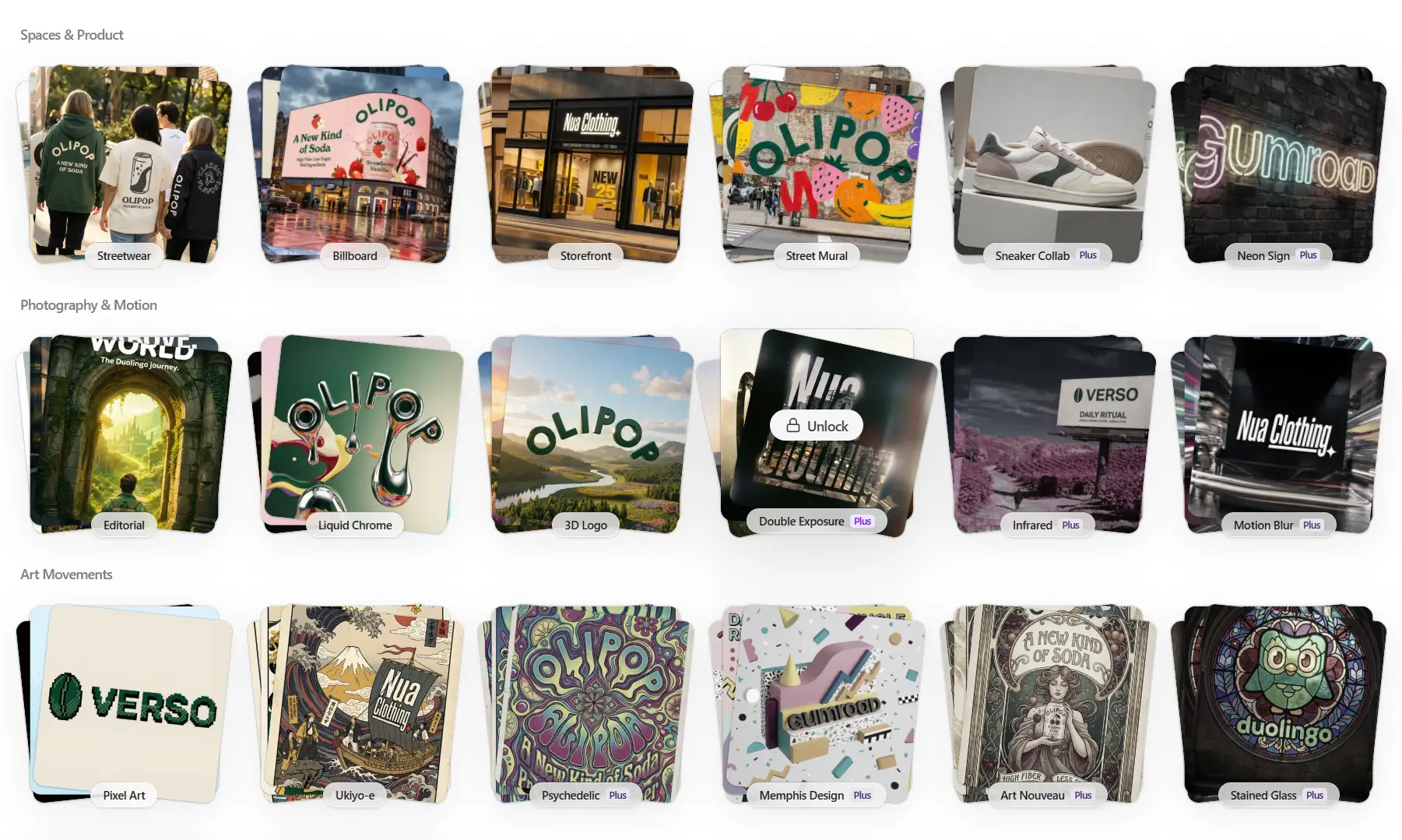
- Website hero banners and section background visuals
- Instagram feed posts in 1:1 format
- Instagram carousel frames and multi-slide sequences
- Instagram Stories in 9:16 format
- Facebook ad creatives in all standard ad formats
- Google Display Network banner ads across standard IAB sizes
- YouTube channel art and video thumbnail visuals
- LinkedIn post visuals and profile cover images
- Print-ready exports at 4K resolution for brochures, pitch decks, and physical collateral
- One-click multi-platform resizing that recomposes layouts automatically for every target format without manual cropping or reframing
Pricing
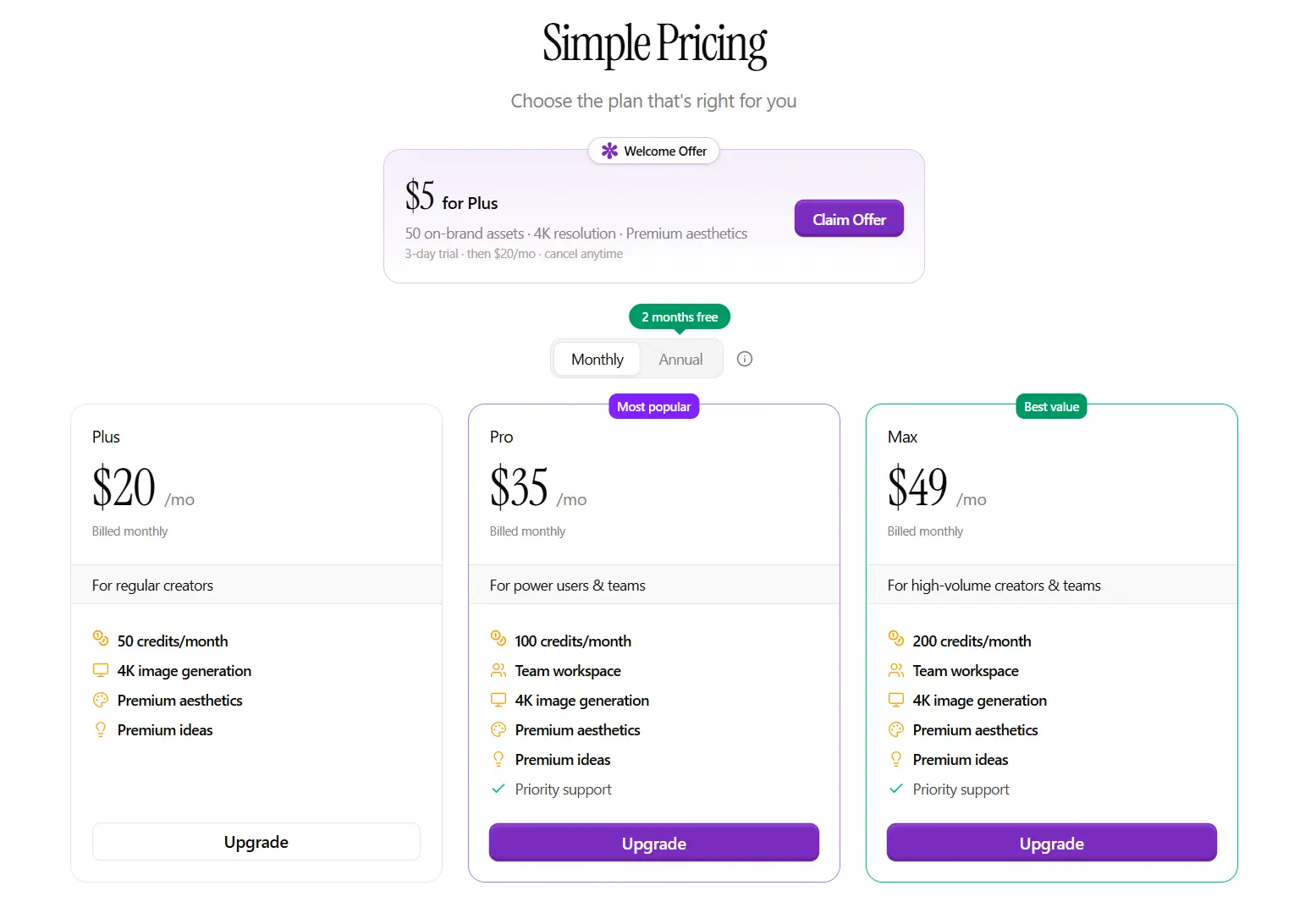
How We Got the Best Out of Bloom
We came into Bloom on the $5 welcome offer, which gave us 50 on-brand 4K assets and a 3-day trial to see if it was actually worth the monthly commitment. We had our answer within the first session.
After pasting our website URL, the brand kit Bloom extracted was accurate enough that the very first batch of generated assets looked like they had been designed by someone who had been working with our brand for months. Logo placement, color application, type hierarchy: all correct without us touching anything. We had genuinely not experienced that with any other tool. We supplemented the initial extraction by uploading a few of our best past campaign visuals and some client project imagery, and from that point the brand accuracy became remarkably consistent.
We burned through the trial credits quickly because once you see the output quality you just keep generating. When the 3-day trial ended we moved to the Plus plan at $16 per month billed annually without any hesitation. For the volume we were producing, the per-asset cost made everything else we had been using feel expensive by comparison.
The workflow shift that made the biggest difference was building a base library in the first week. We generated about 15 core templates across every format we regularly use, hero banner, Instagram post, Story, LinkedIn visual, and Google ad creative, and saved them as reusable starting points. From that point on, every campaign became a variation rather than a cold start, which compressed per-asset production time even further than the tool already had.
The carousel format on Instagram was another unlock. Bloom’s multi-slide carousel output is strong and the generation speed made it feasible to produce carousels consistently rather than only occasionally. Multi-slide carousels get meaningfully more algorithmic reach than single-image posts because of the interaction time they generate per impression, so shifting our Instagram output toward carousels was a direct engagement lever.
The 4K export quality removed an entire category of client friction. The same file we used for an Instagram ad went directly into a pitch deck and a printed client proposal. No re-exporting, no resolution questions, no format juggling. When you are managing multiple clients across both digital and print outputs, that single-export-for-everything workflow is genuinely transformative.
After the 30 days, with the team regularly generating assets together, we moved to the Scale plan at $90 per month billed annually. The unlimited members with no per-seat fees and the shared workspace made it the right call for an agency context.
Tool 3: Vibiz (vibiz.ai)
X: @vibizai
How It Works
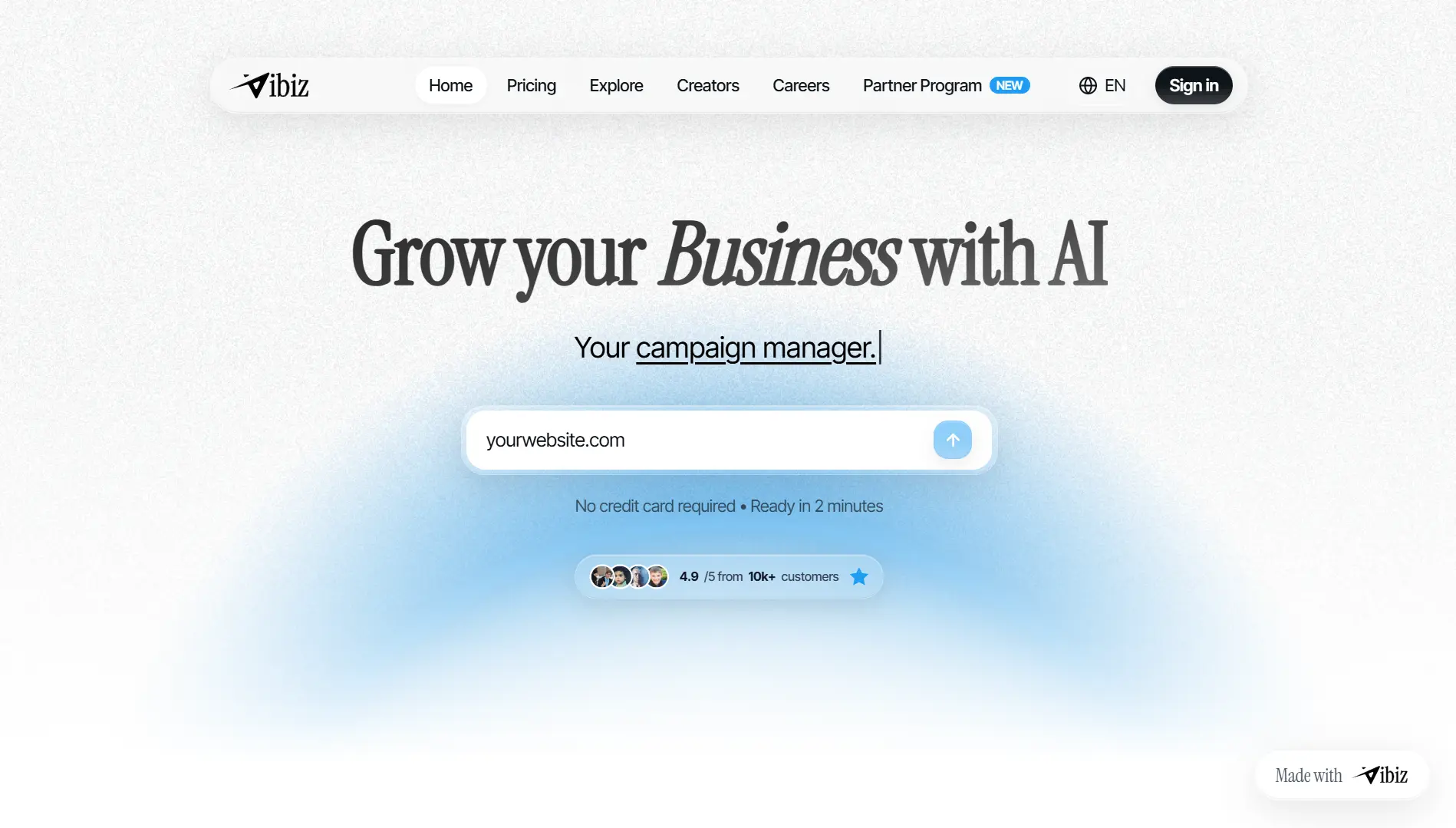
Vibiz positions itself as a Vibe Business Platform. The framing is borrowed from vibe coding: just as vibe coding tools let developers describe intent and have AI handle implementation, Vibiz lets founders and agency owners describe a business objective and have AI handle the full marketing execution layer. It operates at a higher level of abstraction than Pomelli or Bloom. You do not tell it to generate an Instagram post. You tell it what you are trying to achieve commercially, and it builds the entire funnel artifact stack for that objective.
What Vibiz generates:
- Full landing page layouts with on-brand copy, headlines, subheads, and CTAs
- Lead capture form configuration wired directly to your pipeline
- Facebook and Google ad creatives in multiple format and copy variations
- Instagram and LinkedIn post content
- X/Twitter content via a dedicated pipeline at vibiz.ai/x
- Feature announcement visuals and social posts auto-generated from GitHub pull request activity
- CRM pipeline scaffolding with basic stage configuration for lead management
- Multi-language content with regional localisation support
Pricing
How We Got the Best Out of Vibiz
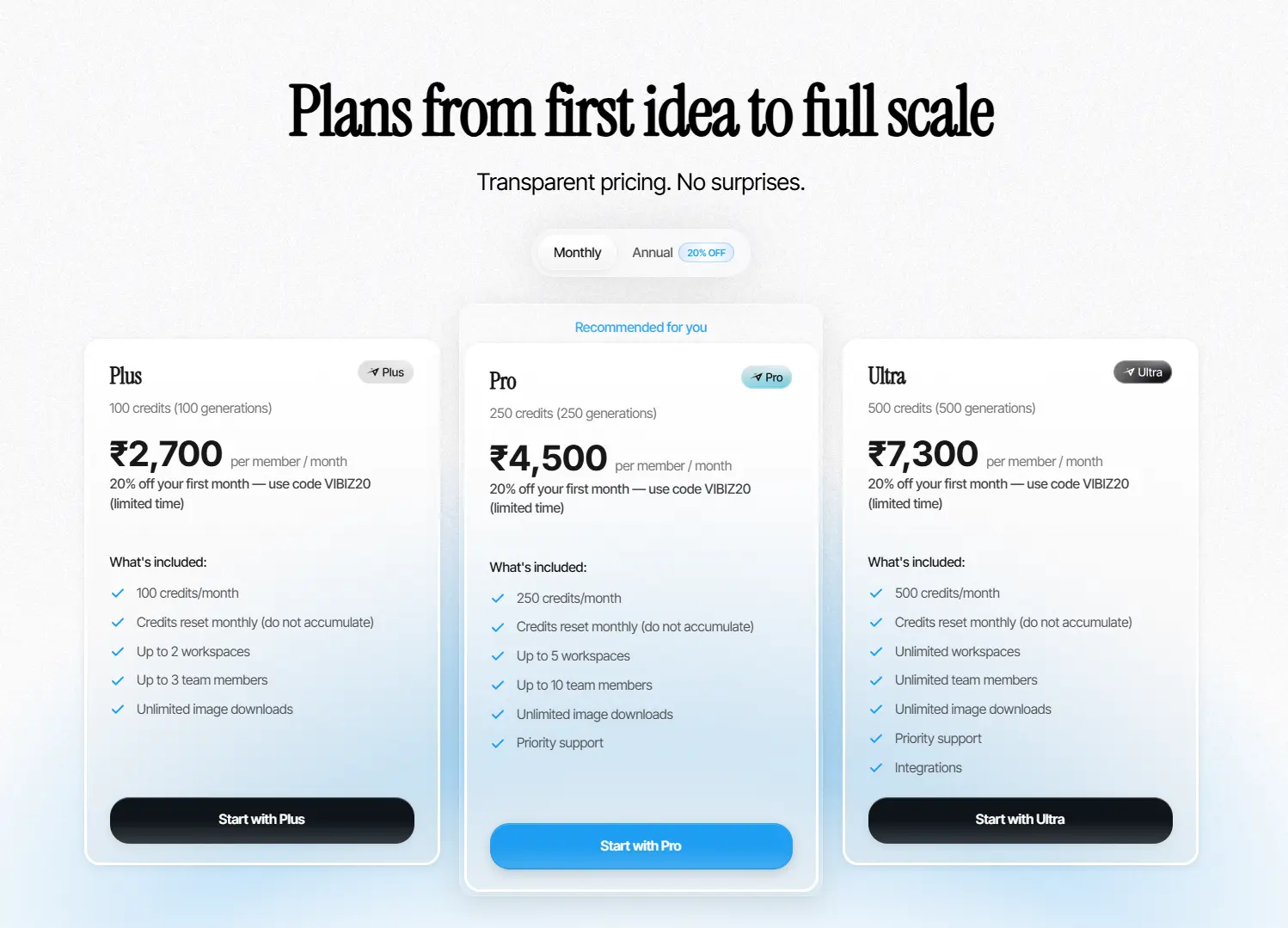
We started on the Plus plan at Rs. 2,700 per member per month on monthly billing, which gave us 100 credits and 2 workspaces to work with. Credits reset monthly and do not accumulate, so we quickly learned to plan generations in batches rather than spreading them out thin across the month.
The way we used it was to write a very specific brief for each thing we wanted to build. Not “make a landing page for our agency” but something like “build a landing page for a web development service targeting startup founders who need to launch fast, primary CTA is booking a discovery call.” The more specific we made the brief, the more precisely Vibiz calibrated the page copy, the ad angles, and the CTA language. Vague briefs produce vague output. Specific briefs produce work that needs minimal editing.
The thing that genuinely impressed us was how coherent the full output was. The landing page headline, the ad creative copy, and the lead form confirmation message all used the same phrasing and value proposition because they were all generated from the same brief in the same session. When you build these things manually across a copywriter, a designer, and an ads person, keeping that message consistency tight is harder than it sounds. Vibiz does it by default.
We paired every Vibiz-built funnel with Bloom-generated visuals before publishing. Vibiz handles the copy and structural layer with real strength. The visual layer is where Bloom comes in, and together the two tools produce a funnel that is both strategically coherent and visually polished in a way that neither achieves alone.
We also made heavy use of the X/Twitter content pipeline at vibiz.ai/x and the GitHub PR integration, which auto-generated announcement content from our repository activity. For a technical agency running a build-in-public strategy on X, that automation was a consistent time-saver.
The 100 credits on Plus went faster than expected once we started building multiple service-specific funnels in parallel. We upgraded to the Pro plan at Rs. 3,600 per member per month on annual billing mid-experiment, which gave us 250 credits and the headroom to iterate properly on campaign variations without rationing. If you are signing up fresh, the VIBIZ20 code takes 20% off your first month, which makes the entry point even easier to justify.
Comparative Analysis: Pomelli vs. Bloom vs. Vibiz
These tools are not competing with each other. They operate at different layers of the marketing stack and are most effective when deployed together.
| Dimension | Pomelli | Bloom | Vibiz |
|---|---|---|---|
| Primary function | Campaign ideation + content generation | Brand-consistent visual assets | Full-funnel generation + lead capture |
| AI infrastructure | Google DeepMind + Google LLMs | Proprietary generative image stack | Proprietary LLM + layout AI |
| Brand extraction method | Website URL crawl → Business DNA | Website URL or Instagram handle | Website URL crawl |
| Output type | Social posts, ad copy, animated video, Photoshoot visuals | Images, banners, ad creatives (4K), multi-format resizing | Landing pages, ad creatives, copy, CRM, GitHub-triggered posts |
| Scheduling / publishing | No (export only) | No (export only) | Partial (via integrations) |
| Pricing | Free (public beta, 170+ countries) | $5 welcome offer, then $16–$90/month | Rs. 2,200–Rs. 7,300/member/month |
| India availability | Yes (as of March 2026) | Yes | Yes |
| X handle | N/A (Google Labs product) | @trybloomai | @vibizai |
| Best suited for | Solo founders, SMBs, content-heavy operations | Brands and agencies with high visual asset volume | Agencies and startups requiring funnel infrastructure |
| Sweet spot | Content ideation at scale | Visual production and brand consistency | Paid and organic funnel deployment |
The stack logic is simple. Pomelli handles what to say. Bloom handles how it looks. Vibiz handles where it goes and how it converts. Used independently, each tool is useful. Used together, they approximate the output of a three-person marketing team at a fraction of the cost.
What the Numbers Actually Look Like
Across agencies running this stack, the outcomes cluster around a few consistent patterns:
| Metric | Typical Before | Typical After | Directional Change |
|---|---|---|---|
| Leads per month | Low, referral-dependent | Meaningfully higher | ~2–3x for most small agencies |
| Time spent on marketing | 10–15 hours/week | 3–4 hours/week | ~75% reduction |
| Posting frequency | Sporadic | Consistent | 3–5x improvement |
| Visual brand consistency | Variable | High | Qualitative step-change |
| Dedicated funnel conversion rate | ~1–2% (homepage) | ~5–7% (purpose-built funnel) | Structural improvement |
These are directional benchmarks, not guarantees. Results depend on the quality of your existing brand assets, the clarity of your brief to each tool, and how consistently you apply a human review layer to outputs before publishing. A 3x lead increase is a realistic and meaningful outcome for a small agency using this stack seriously. A 50x headline is not, and any tool claiming otherwise is counting from a near-zero baseline over a suspiciously short window.
What to Keep in Mind
These tools handle execution exceptionally well. What they need from you is clear strategic direction.
None of them can tell you what your positioning should be, which segment to target, or what offer structure works best for your specific client profile. They execute on a brief; they do not write the brief. The sharper and more specific your input, the sharper and more specific your output. Treating any of these tools as a “set and forget” system will produce mediocre results. Treating them as a highly capable execution layer that removes the production burden while you stay in charge of strategy is where the real leverage is.
The other thing worth saying: the relationship content, genuine takes on client problems, honest behind-the-scenes updates, real opinions on your industry, still needs to come from you. AI-generated content can sustain a posting cadence but human-authored content is what actually builds the trust that converts followers into clients. Use both, in the right proportions.
A Reproducible 30-Day Experiment Framework
For any agency that wants to run the same experiment, here is the methodology that works:
Week 1: Infrastructure setup
Set up all three tools against your live website. Allow Pomelli and Vibiz to complete their full brand analysis, allocating 30 to 45 minutes per tool for initial setup and first-generation review. In Bloom, generate a set of 10 to 15 brand-aligned base templates to reuse across the month. Document the brand profile each tool extracts and compare them. Discrepancies across tools indicate gaps in your site’s brand clarity that are worth addressing before generating at scale.
Week 2: Baseline content publication
Publish Pomelli-generated content across your primary channels and track engagement metrics natively on each platform. Upload Bloom-generated visuals to the Vibiz funnel. Launch the Vibiz funnel with a single, specific offer and connect it to whatever CRM or pipeline tool you already use, whether that is HubSpot, Notion, or even a tagged inbox at early stage.
Weeks 3 to 4: Iteration cycle
Replace the bottom-performing 20% of content with new Pomelli-generated variants. A/B test two Vibiz funnel headline variations. Audit visual consistency across all published assets. Measure the funnel’s lead-to-call rate and adjust CTA copy or form length if conversion sits below 4%.
KPIs to track:
- Lead volume, absolute and source-tagged
- Form submission to qualified call rate
- Platform-native engagement rate per post
- Time spent on marketing production, logged honestly week over week
Our Take After 30 Days: Why Bloom Won
We went into this experiment expecting Vibiz to be the standout. Full-funnel generation from a single brief, landing pages, ad creatives, lead capture, CRM scaffolding, all in one session: that is an extraordinary capability and Vibiz delivers on it. Pomelli also exceeded expectations as a content engine, particularly the Animate feature, which added a video layer to our content output that would otherwise have required a separate contractor.
But the tool that changed the most about how we operate, the one that is now non-negotiable in our workflow, is Bloom. Here is a genuine account of why.
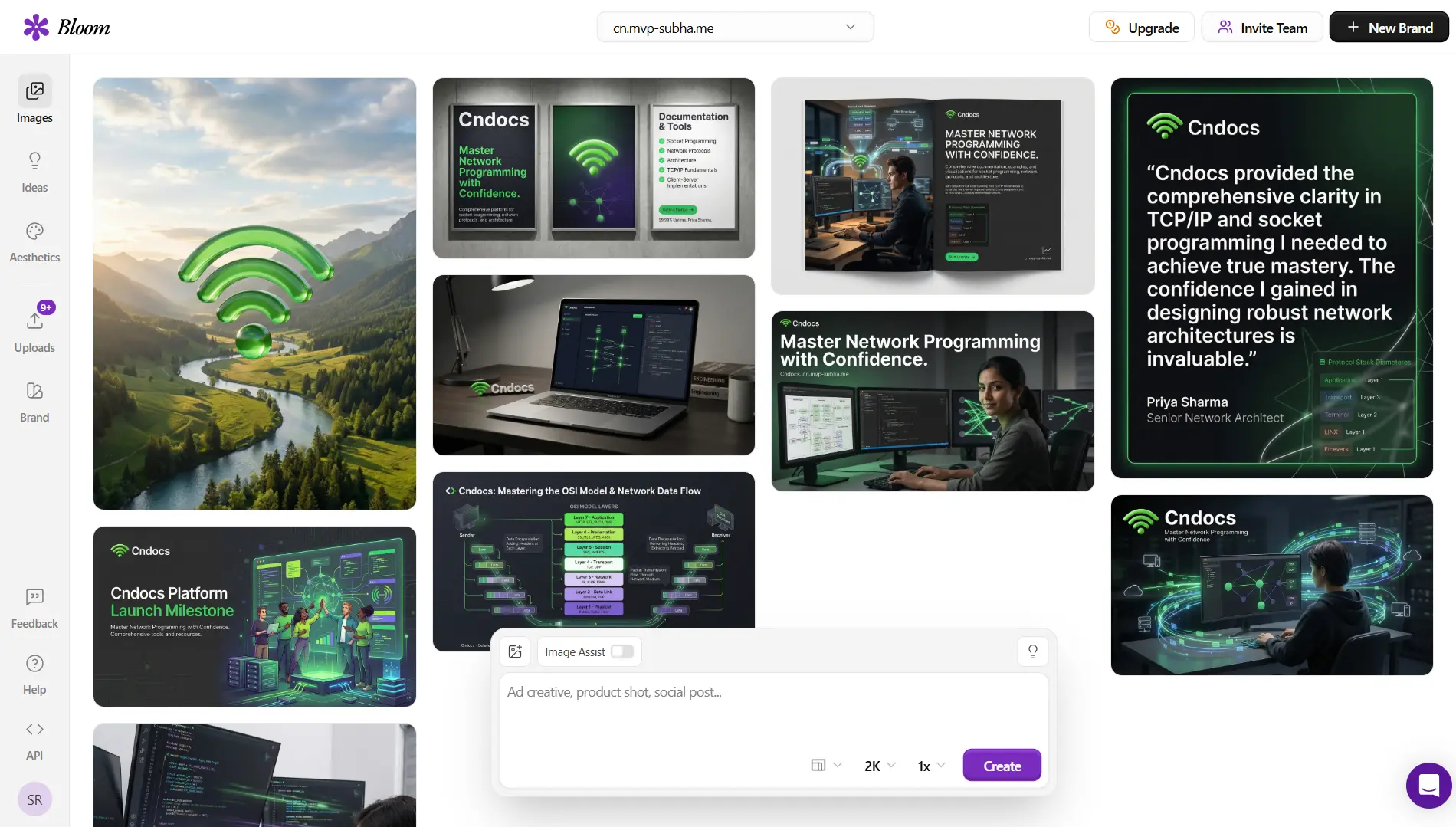
It sat at the centre of everything else. Every piece of content we pushed through the stack eventually needed a visual. Pomelli-generated posts needed imagery. Vibiz funnel pages needed hero visuals and ad creatives. Bloom was the one tool that touched every output we published, and it delivered every single time without a failed generation or an off-brand result.
The brand accuracy from day one was unlike anything we had used before. After connecting our website URL, the very first batch of generated assets looked like they had been designed by someone who had been working with our brand for months. Logo placement, color application, typographic hierarchy: all accurate without manual correction. That does not happen with Canva. It does not happen with general-purpose AI image tools. It happened with Bloom on the first generation.
4K output that works everywhere, in one export. We stopped thinking about resolution and format as separate problems. The same Bloom asset went into an Instagram ad, a client pitch deck, and a printed one-pager. One file, three use cases, zero re-exporting. For an agency that produces a high volume of assets across digital and print channels, this alone justifies the tool.
The multi-platform resize removed an entire class of work from our week. Before Bloom, maintaining visual consistency across Instagram, LinkedIn, Google Ads, and Stories meant maintaining separate file sets in Canva or Figma with manual resizing for each format. That work is now fully automated. One generation produces every format simultaneously, and every format is correctly composed, not just cropped.
The reliability floor is the highest of any tool we tested. Every tool in this stack has a best-case output. Bloom is the only one where the worst-case output is still professionally usable. When you are an agency sharing content with clients and publishing under your own brand name, that floor matters more than the ceiling. Pomelli’s weakest outputs need rewriting. Vibiz’s most complex funnels need QA. Bloom’s weakest asset still ships. That consistency is what separates a tool you reach for every day from one you use occasionally when conditions are right.
The speed compounds. The first time you use Bloom, the 60-second generation time feels impressive. After 30 days, what you notice is how that speed changes your decision-making. You start generating an asset to test an idea rather than committing to an idea before designing for it. You publish more because the cost of producing each piece is so low. You experiment more because the cost of a failed creative is effectively zero. That shift in creative confidence is harder to quantify than leads or time saved, but it is real and it matters.
If you are only going to add one tool from this stack to your agency workflow, make it Bloom. If you add all three, you will likely arrive at the same conclusion we did after running this experiment: Pomelli tells you what to say, Vibiz tells you where to deploy it, but Bloom is the tool that makes everything you publish worth looking at.
All tools referenced can be accessed at labs.google.com/pomelli, trybloom.ai, and vibiz.ai. Bloom’s X account is @trybloomai. Vibiz’s X account is @vibizai. Pomelli is a Google Labs product; follow Google Labs on X for updates on its development.
Share this insight
Join the conversation and spark new ideas.